
Notion AI Review: Is It Worth It for Students? My 3-Month Test
In this Notion AI Review, I share my experience using Notion AI daily as a full-time student for three months. Real results, honest criticism, and a clear verdict on whether Notion AI actually delivers for students managing lectures, essays, and deadlines.
After 3 months of student use
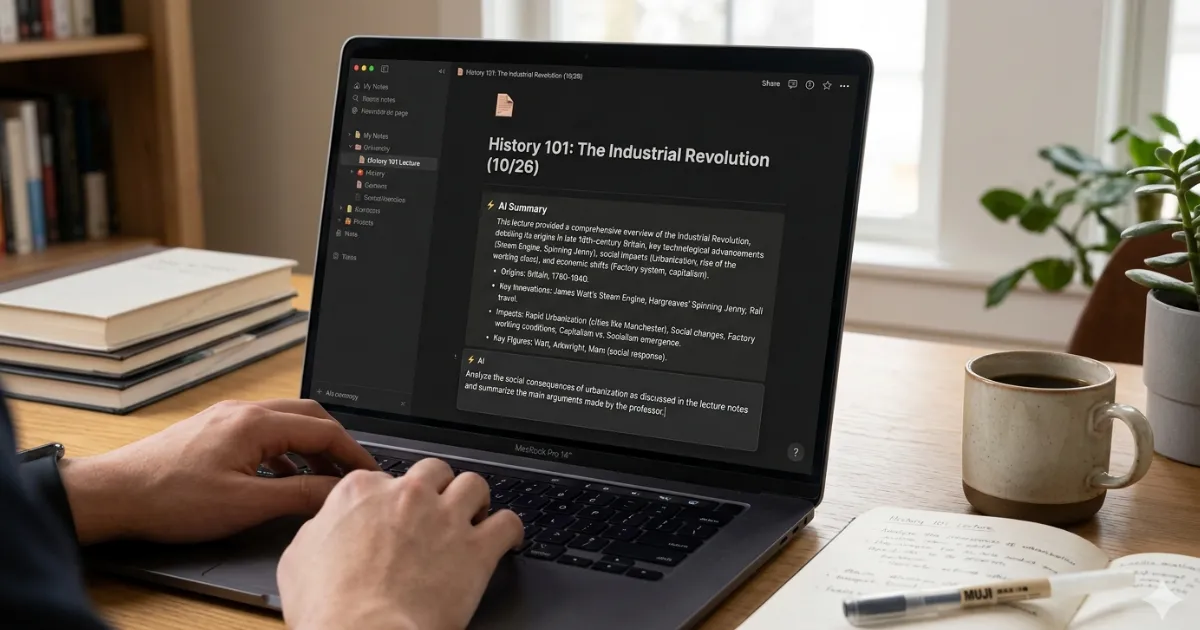
This Notion AI Review is based on three months of real-world testing.
In this Notion AI Review, I evaluated writing quality, note summarization, and productivity features.
This is what three months of genuine student testing actually looked like.What Is Notion AI? (The Honest Basics)
Notion is a highly flexible all-in-one workspace — part note-taking app, part project manager, part wiki, part database. Millions of students, professionals, and teams use it to organize everything from lecture notes to company roadmaps.
Notion AI is the layer of artificial intelligence built directly into that workspace. Unlike standalone AI tools that require you to copy-paste content back and forth, Notion AI works on and within your existing pages — summarizing, editing, generating, and answering questions about content that already lives in your Notion workspace.
Overall, this Notion AI Review shows why Notion AI remains popular among students.
Notion AI is an AI writing and productivity assistant built directly into the Notion workspace. It can summarize notes, draft content, fix writing, translate text, generate action items from meeting notes, and answer questions about your documents — all without leaving the Notion app. It's available as an add-on to any Notion plan for $10/month per member (or $8/month billed annually).
The key distinction that makes Notion AI different from tools like ChatGPT is contextual awareness. It can pull from your own notes and pages to give answers grounded in your specific content — rather than just general knowledge. That's the theoretical edge. How well it actually delivers on it in practice is what the next three months were all about.
After extensive testing, this Notion AI Review found several strengths and weaknesses.
Core Features: What Notion AI Actually Does
Before getting into what worked and what didn't, here's a grounded overview of what Notion AI can do — based on actual use, not the marketing page.
AI Writing Assistant
Draft, continue, or improve text on any Notion page. You can ask it to write blog posts, essays, emails, summaries, or outlines from a simple prompt — or from selected text you've already written.
Summarize Any Page
Highlight a block, a section, or an entire page and get a concise summary instantly. For lecture notes and long readings, this was the single most-used feature across the three months.
Ask AI About Your Pages
Use the Q&A feature to ask natural language questions about content in your workspace. "What are the key themes in my week 8 notes?" is a real query it can handle — with useful results, most of the time.
Action Items from Notes
Paste in meeting notes or a messy brain dump, and Notion AI can extract a clean list of action items or next steps. Particularly useful after group project meetings.
Improve, Simplify, Translate
Ask AI to improve the tone, simplify complex language, fix grammar, or translate text into another language. Solid for polishing writing or understanding dense academic material.
AI Search Across Workspace
Ask questions that search across your entire Notion workspace, not just one page. In theory a powerful second brain feature — in practice, reliability varies with how well your workspace is organized.
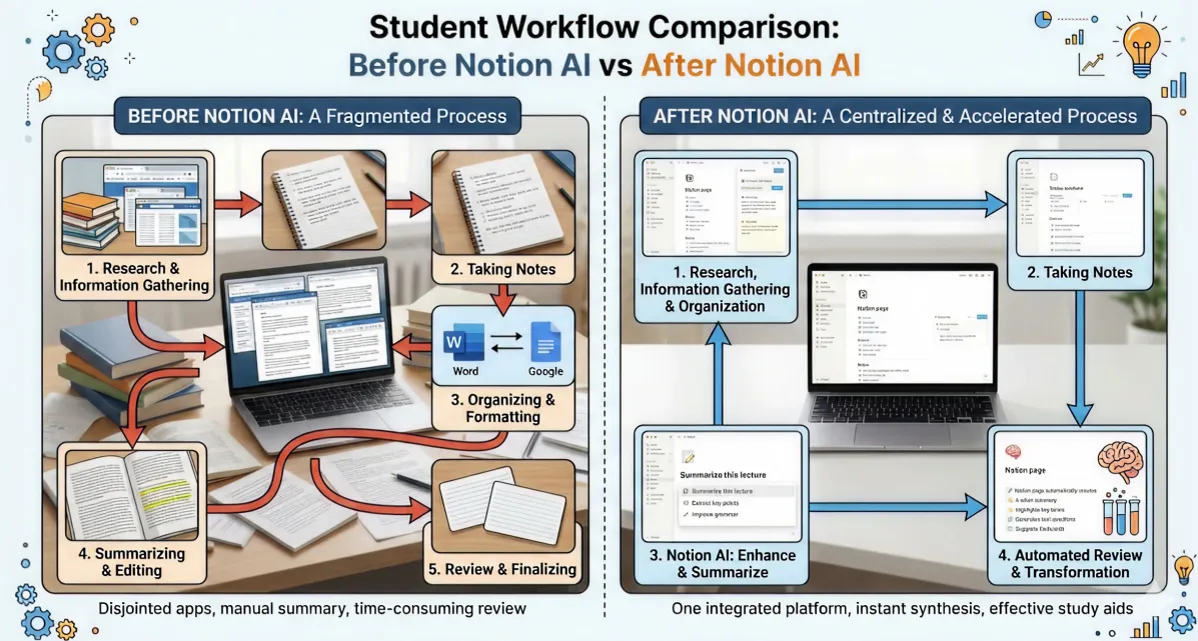
Notion AI Pricing: What Students Actually Pay
Pricing transparency is something a lot of Notion AI reviews skip over. Let's be specific, because for students this matters a great deal.
Free Plan
- Notion workspace (limited blocks)
- No Notion AI included
- Basic collaboration
- 5 guests max
Plus + AI Add-on
- $8/mo Plus plan
- $10/mo AI add-on
- Unlimited blocks
- Full AI feature access
- 5 guests
Annual (Best Value)
- $6/mo Plus plan
- $8/mo AI add-on
- All AI features
- 20% total savings
- Education discount available
Notion offers an education discount for students and educators that can significantly reduce the cost. Verify your student status via their education program at notion.so/product/notion-for-education to access reduced rates. As of 2025, the Plus plan is free for verified students — meaning you'd only pay for the AI add-on.
The honest reality: if you qualify for the education plan, Notion AI costs you approximately $8–$10 per month for the AI layer alone. Over three months, that's $24–$30. Whether that's worth it depends entirely on how deeply you integrate it into your workflow — which is exactly what the rest of this review covers.
Three Months of Real Student Use: What Actually Happened
Month One: Frustration and Misaligned Expectations
The first month was rough, and I want to be honest about that because most reviews skip straight to the highlights. My initial pattern was using Notion AI like I'd use ChatGPT — giving it open-ended prompts and expecting polished, usable output. That's not what it does best.
The AI writing features produced generic, surface-level content when given vague prompts. Essay outlines were competent but forgettable. Summaries were accurate but often too brief to be genuinely useful without customization. And the interface, while clean, had a learning curve when it came to the more powerful features like workspace-wide Q&A.
What saved the first month: discovering the Summarize feature for lecture notes. My research methods module involved 40-60 pages of dense reading per week. Pasting that into Notion and asking for a structured summary cut my initial review time in half. That one use case alone made month one net positive.
Month Two: Finding the Right Patterns
By week five, I'd shifted strategy. Instead of asking Notion AI to create content, I started using it to react to and refine my own content. The difference was significant.
Specifically, I developed a note-taking workflow: take rough lecture notes → end of day, ask Notion AI to "clean up and structure these notes with clear headings" → review and annotate the output. The result was a better version of my own thinking, not a replacement of it. My notes became more organized without losing my own perspective.
Group project coordination also improved substantially. After every project meeting, I'd paste my raw notes and ask for extracted action items with owners and deadlines. What used to take 20 minutes of post-meeting cleanup took under 3 minutes.
Month Three: Where It Genuinely Earned Its Cost
Month three coincided with dissertation chapter drafting — the highest-stakes writing of my academic year. Notion AI's role here was specific and valuable: not to write sections for me, but to help me manage the research layer.
I kept all my source annotations in Notion. Asking the AI "What are the recurring counterarguments across my annotated sources?" would surface patterns I hadn't consciously noted. "Summarize the key methodological debates in these research notes" gave me a starting framework for my literature review structure. These weren't magic outputs — but they were genuinely useful thinking partners that saved real time.
By the end of month three, my honest assessment was this: Notion AI is not a replacement for a dedicated AI writing tool like ChatGPT or Claude. But as an intelligence layer on top of an already well-organized Notion workspace, it delivers consistent, practical value — especially for students who live in Notion already.
Scorecard: Feature-by-Feature Rating
Notion AI — Student Use Case Ratings (Out of 10)
Honest Pros and Cons After Three Months
✓ What Works Well
- Seamlessly integrated — no app switching
- Summarization is genuinely fast and accurate
- Action item extraction from meeting notes
- Text improvement preserves your voice
- Workspace Q&A finds connections across notes
- Education discount makes pricing reasonable
- Works on existing content, not just new prompts
✕ What Falls Short
- AI writing is generic without very specific prompts
- Q&A accuracy drops with disorganized workspaces
- Not as powerful as standalone AI tools (ChatGPT, Claude)
- $10/mo add-on cost feels steep on a student budget
- Limited model transparency (unclear what AI powers it)
- Can be slow during peak usage times
- No image or multimodal input support
Notion AI's Q&A and workspace search features work significantly better when your workspace is consistently structured and well-organized. If your Notion is a chaotic mix of half-finished pages and randomly named databases, the AI will struggle to surface relevant answers. The tool amplifies good organization — it doesn't fix poor organization.
Notion AI vs. Alternatives: How It Stacks Up
Notion AI doesn't exist in a vacuum. Students evaluating it will naturally compare it to other AI tools. Here's an honest, feature-level comparison based on student use cases.
| Feature | Notion AI | ChatGPT Plus | Google Gemini | Obsidian + AI |
|---|---|---|---|---|
| Works on your own notes | ✓ Native | Via paste | Via paste | ✓ Plugin |
| Writing quality | Good | Excellent | Excellent | Good |
| Summarization | Excellent | Excellent | Excellent | Good |
| Workspace search / Q&A | ✓ Built-in | ✕ | Partial | ✓ Plugin |
| Student pricing (monthly) | ~$10 | $20 | Free tier | Free + plugin |
| Ease of setup | Very Easy | Very Easy | Very Easy | Moderate |
| Best for | Notion users | General AI work | Google users | Power users |
The honest conclusion from this comparison: if you're already a Notion user, Notion AI is the most frictionless AI upgrade available to you. If you're not in the Notion ecosystem, the cost of both the workspace and the AI add-on makes the value proposition harder to justify when tools like ChatGPT or Gemini offer strong standalone capabilities at lower or no cost.
Best Student Use Cases for Notion AI
1. Lecture Note Cleanup and Structuring
After a fast-paced lecture, your notes are likely scattered and incomplete. Paste your raw notes into a Notion page, select all, and ask Notion AI to "restructure these lecture notes with clear headings and bullet points." The output gives you a cleaner version to study from within minutes — saving the 20–30 minutes of manual reformatting that most students lose each day.
2. Reading Comprehension and Dense Text Summarization
Academic papers and textbook chapters are often written to be precise, not readable. Paste a section into Notion, select the text, and ask Notion AI to "simplify this academic passage into plain English" or "summarize the key arguments in 5 bullet points." For literature reviews and research modules, this became a near-daily tool by month two.
3. Essay and Assignment Planning
Don't ask Notion AI to write your essay — ask it to help you think through your essay. "What are the main arguments for and against [my thesis]?" or "Suggest five potential counterarguments to this position" are far more useful prompts that support your critical thinking rather than replacing it.
4. Project Meeting Notes into Action Items
Paste any meeting transcript or rough notes and ask Notion AI to "extract a list of action items with deadlines and owners." For group projects, this was consistently one of the highest-return uses of the tool — saving time and reducing miscommunication about who's doing what.
5. Revision and Spaced Repetition Setup
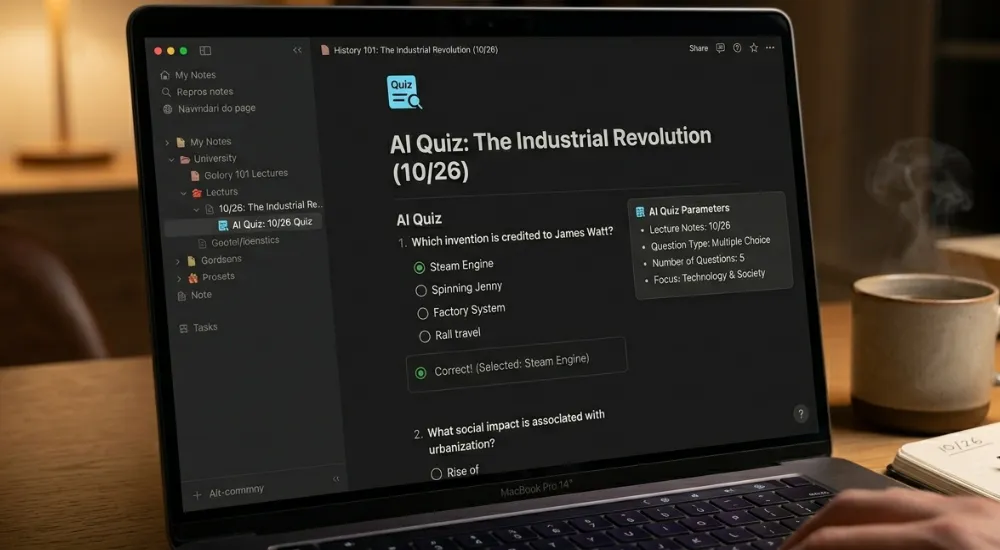
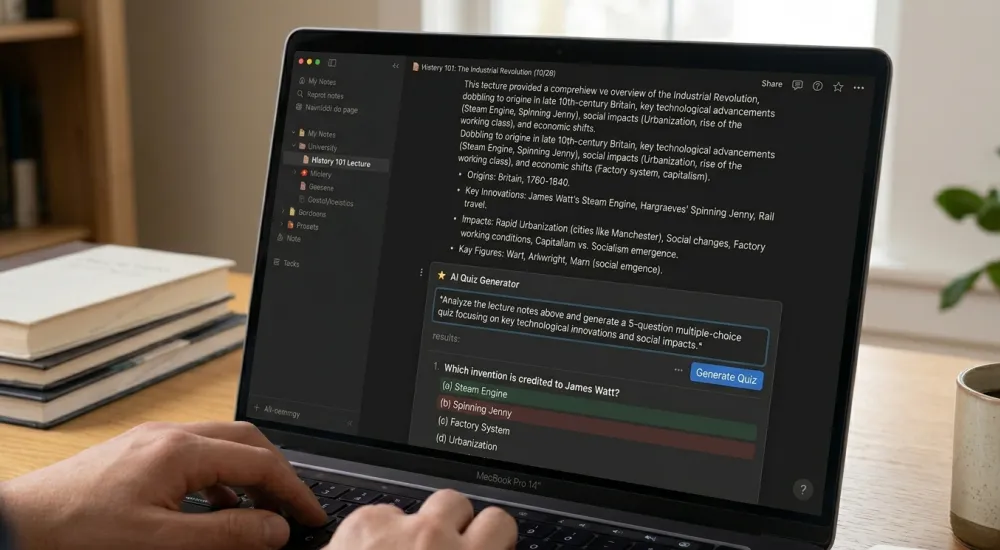
Ask Notion AI to "generate 10 quiz questions based on these notes" — then answer them yourself before your next review session. This is an underused but genuinely effective study technique that Notion AI handles reliably when given well-structured source material.
Who Should — and Shouldn't — Use Notion AI
Notion AI Is Worth It If You...
- Already use Notion as your primary workspace and note-taking system
- Take a lot of notes that need organizing, summarizing, or reviewing
- Work on group projects requiring meeting note management
- Want AI that works on your existing content, not just new prompts
- Can access the student education discount to reduce the cost
- Study research-heavy subjects with lots of academic reading
You Might Want to Skip It If You...
- Don't currently use Notion or prefer other note-taking apps
- Primarily need AI for long-form creative or persuasive writing
- Want a powerful general-purpose AI assistant (ChatGPT is better for this)
- Have a very tight budget and can't justify any monthly AI spend
- Prefer fully offline, privacy-first tools
At SmartAIHuman.com, we've found that the most effective student AI setups tend to combine a general-purpose AI tool (for thinking and writing tasks) with a specialized workspace tool like Notion AI (for organization and note management). Trying to do everything with one tool usually means compromising somewhere.
Five Tips to Get More from Notion AI
Notion AI performs dramatically better with specific, contextual prompts than with vague open-ended ones. The more structure and context you give it, the more useful the output will be. Here are the five techniques that made the biggest difference across three months.
- Be specific about format. Instead of "summarize this," try "summarize this into 5 bullet points, each under 20 words." The output will be dramatically more usable.
- Give it a role. "As a study guide editor, rewrite these notes to be easier to review before an exam" consistently outperforms generic improvement prompts.
- Use it on your writing, not instead of it. Write a draft first, then ask Notion AI to "identify unclear sentences" or "improve the flow of this paragraph."
- Keep your workspace organized for better Q&A. The AI Q&A feature surfaces relevant content based on how your pages are named and structured. Consistent naming conventions pay off significantly.
- Combine with templates. Build Notion templates for recurring tasks (weekly review, lecture notes, project kick-offs) and use AI prompts built into the template to automate the reflection and summarization layer.
Frequently Asked Questions
Final Verdict: Three Months, One Clear Answer
Notion AI is not the transformative, do-everything AI assistant that some reviews suggest. But it is a genuinely useful, well-integrated tool for students who already live in Notion and need intelligent help managing, organizing, and extracting value from their academic content.
After three months, my honest score is 8.1 out of 10 — not because it's flawless, but because it solved real problems in my actual workflow once I stopped trying to use it in ways it wasn't designed for. The summarization is excellent. The action item extraction is excellent. The writing assistance is useful with specific prompts. The Q&A feature is promising but workspace-dependent.
If you're a Notion user — especially one eligible for the student education discount — the AI add-on is worth testing for a month. If you're not in the Notion ecosystem, there are more powerful tools at similar or lower price points that you'd likely get more from immediately.
Here's the question worth asking before you subscribe: is your note-taking system good enough that adding AI to it would make it extraordinary — or are you hoping AI will compensate for an organization problem that really needs a different solution first?

SmartAIHuman Editorial Team shares practical AI guides, tool reviews, productivity strategies, and beginner-friendly tech tutorials to help readers use AI effectively in everyday life.